Check The Recording Before You Need It
CCTV maintenance in Leicester helps commercial premises understand whether their system still does the job it was installed to do. A picture on a reception monitor does not prove that footage is being recorded, retained or exported correctly. Maintenance should look beyond the live view.
We help scope inspections, fault finding and planned care for business CCTV. A warehouse layout may have changed since cameras were installed, or new lighting may have introduced glare. A system can be technically online while no longer covering the intended activity.
Start by gathering the equipment list, administrator details and any installation records. Note missing views, incorrect timestamps, playback problems and faults that occur only at particular times. This gives a service visit a clearer starting point than a general request to check everything.
What A Useful Maintenance Visit Covers
The scope should include camera image quality, mounting condition and the state of exposed cable entries. Dirt, condensation and damaged housings can affect performance. Any work at height needs suitable access arrangements rather than improvised access from furniture or racking.
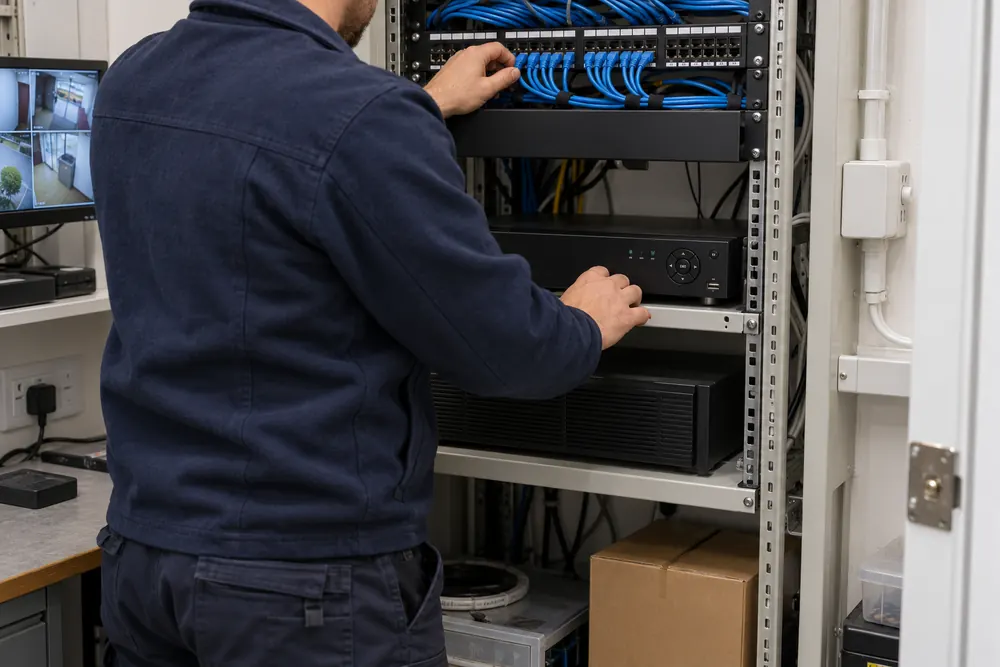
Recorder checks should confirm that each expected channel records and that a recent event can be found and exported. Check time settings, disk warnings and the configuration of recording schedules. A channel that has been accidentally excluded from a schedule can remain visible on a live screen.
Network and power faults may require coordination with your IT team. A recorder connected to a failing switch or unsuitable power supply may appear to have intermittent camera faults. Document findings so the same symptom is not repeatedly treated without understanding its cause.
Fault Finding Before Replacement
An offline camera can have several causes, including power loss, a damaged cable, a network configuration change or failed equipment. Follow a structured diagnosis before replacing it. Where an older recorder has failed, check compatibility before assuming new equipment will work with every retained camera.
Remote viewing faults do not always mean recording has stopped. Confirm the local recorder status separately from the internet connection and user account. Changes to routers, permissions or subscriptions can affect remote access while the cameras continue to record on site.
Equipment that no longer receives security updates may justify a planned replacement rather than repeated repairs. Ask for the support position, account ownership and export options to be recorded. A replacement recommendation should explain the operational problem it solves.
Privacy Responsibilities Continue After Installation
Maintaining a CCTV system includes checking its use as well as its hardware. The recording purpose and retention policy should still match the way the premises operate. Moving a camera or enabling a new feature can change the privacy impact and should trigger a review.
The UK GDPR and Data Protection Act 2018 apply when business CCTV processes personal information. The ICO surveillance guidance explains that retention is determined by purpose, without one universal minimum or maximum period. Do not keep footage simply because storage is available.
Review authorised users when staff leave or responsibilities change. Service access to recordings should be limited to the work required and handled under appropriate arrangements. Avoid including passwords or footage in a general enquiry message.
Planning Visits And Understanding Costs
Agree a visit frequency around the environment, equipment instructions and business risk. Dusty production areas, exposed yards and difficult access can require a different approach from a clean internal corridor. A maintenance agreement should state its scope and how repairs are authorised.
Cost depends on camera count, recorder condition, access equipment, travel within the service area and the faults investigated. Check whether parts, updates, out-of-hours visits and return attendance are included. A planned inspection and an urgent fault investigation may be priced differently.
At the end of a visit, request a fault list, test results and clear recommendations. If coverage needs redesigning, see commercial CCTV installation. For connected security functions, review alarm and monitoring arrangements, then tell us what has stopped working.
Your Questions, Answered
How Often Should Commercial CCTV Be Serviced?
Commercial CCTV should be serviced at intervals suited to the equipment instructions, site environment and business risk. There is no single interval that fits every installation. Agree a written maintenance plan and add checks after changes to lighting, layout or networks, since those changes can affect useful coverage without causing a recorder fault.
Can A Maintenance Visit Recover Missing Recordings?
A CCTV maintenance visit cannot guarantee recovery of missing recordings. Footage may never have been recorded, may have been overwritten or may be on damaged storage. If an incident matters, restrict unnecessary changes and seek suitable technical advice promptly. Describe the time, affected channels and recorder warnings without sending footage through the enquiry form.
Can You Inspect A System Installed By Someone Else?
A CCTV system installed by another provider can be assessed if access, equipment support and ownership are clear. Gather the recorder model, camera details and administrator arrangements first. Some systems depend on licences or restricted accounts, so a takeover may need cooperation from the current provider before changes or ongoing maintenance can be agreed.